Decide whether Govee fits your home before choosing a kit. Review roofline coverage, lighting effects, app needs, mounting plans, and power placement.
Govee permanent lights can suit homeowners who want year-round roofline lighting with app-driven scenes, but the right purchase starts with the house, not the box. Your eaves, preferred light pattern, outlet location, and comfort with connected devices all matter. Use this guide to decide what fits before you choose a kit.
LightPro Connect is a nationwide, manufacturer-neutral marketplace that connects homeowners and businesses with professional permanent outdoor lighting installers. This guide focuses on buying and planning decisions, rather than installation steps, price estimates, or repairs.
Are Govee Permanent Lights Right for Your Home?
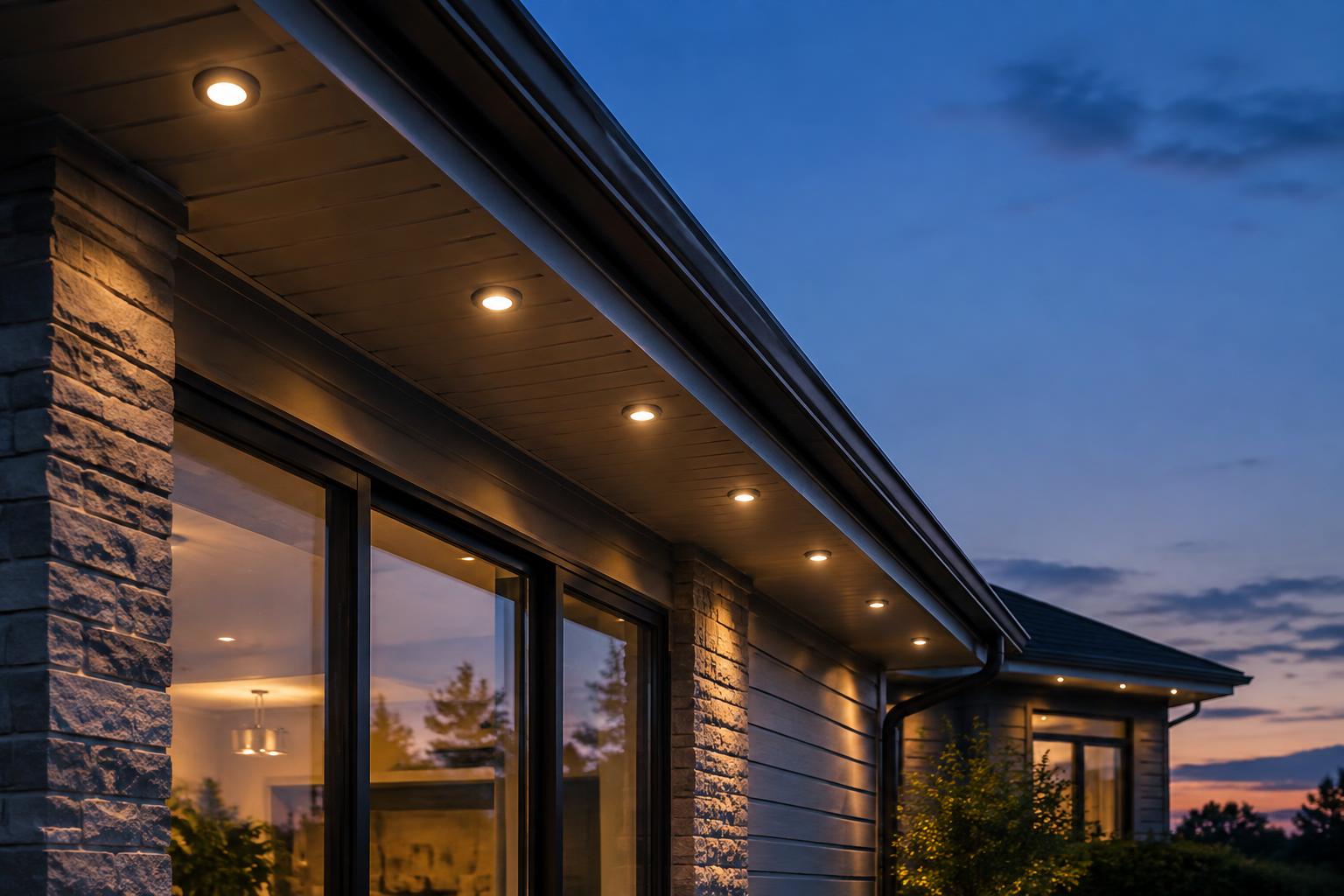
Permanent outdoor lighting stays on the home through the seasons, typically along soffits, fascia, and rooflines using suitable tracks or mounts. App controls let you move between everyday lighting and holiday scenes without rehanging strings. However, the fixtures and their daytime appearance remain part of the house.
Govee permanent lights deserve a closer look if you enjoy changing colors and want scheduled lighting. They need more thought if your main goal is an almost invisible daytime installation or a very specific white-light appearance. Those goals depend on the exact model, mounting surface, and layout.
- A promising fit: Accessible eaves, a clear cable route, and someone willing to manage the app.
- More planning needed: Multiple roof levels, interrupted soffits, or distant power access.
- Test before committing: Strong preferences about white light, visible wiring, or the shape of light on the wall.
For broader context, browse the lighting brands available through LightPro Connect. Compare how a system serves your home, rather than choosing by the longest feature list.
Plan the Lighting Effect Before Measuring
Decide What You Want to See
Start with the view from the street, driveway, and front walk. Do you want soft everyday accents, bright holiday color, or both? Meanwhile, consider bedroom windows and neighboring homes that could receive unwanted light.
With Govee permanent lights, fixture position can change how light spreads across the wall. Distance from the wall, soffit depth, and surface texture can affect the pattern. Follow the selected model’s guidance and ask for a safe temporary demonstration when possible.
Choose a Sensible Coverage Boundary
A front-only plan can look intentional when it ends at natural corners. However, an exposed side wall may make that boundary obvious from the driveway. Choose your stopping points from normal viewing angles, not just a straight-on photo.
Use the outdoor lighting visualizer to explore coverage ideas. Treat a preview as a planning aid, because it cannot confirm exact brightness, color, or wall patterns on your home.
Map Eaves, Soffits, and Roofline Breaks
Before ordering Govee permanent lights, make a simple sketch with separate sections for each roof level. Measure the intended mounting path rather than the width of the house. A porch return, garage setback, or raised gable can change the route substantially.
- Mark lit sections. Label each eave or fascia run you want illuminated.
- Mark travel sections. Identify gaps where cable must pass without visible lights.
- Record obstacles. Note downspouts, vents, trim changes, and roof-level transitions.
- Locate services. Mark power access and a sheltered, reachable controller area.
- Photograph details. Take wide views and close-ups of corners and soffit surfaces from safe positions.
Do not assume unused lights can simply disappear behind trim. Likewise, do not assume a dark gap can be crossed with any extension cable. Each transition needs a solution permitted for the exact model.
In addition, note the mounting material and condition. Painted wood, metal, vinyl, and masonry need different attachment planning. Avoid layouts that block soffit ventilation or interfere with drainage and future roof maintenance.
Compare Govee Permanent Lights by Exact Model
Model names and kit lengths are not enough to establish compatibility. Check the exact product identifier, included components, and manual on the official Govee website. Product details can change, so verify them before buying.
Separate Lighting Features From System Limits
When comparing Govee permanent lights, divide your questions into two groups: what the lights look like and what the system allows. A preferred lighting effect will not solve an unsupported cable route. Conversely, an easy layout does not ensure you will like the white-light appearance.
- Appearance comparison: Check available white-light controls, color effects, dimming, and fixture appearance against your everyday goals.
- Layout comparison: Check supported total length, extension rules, connection limits, and permitted cutting or splicing.
- Control comparison: Check app functions, scheduling, network needs, and compatibility with your preferred smart-home setup.
- Ownership comparison: Check warranty terms, replacement-part availability, and requirements for approved accessories.
Do not transfer specifications from one product listing to another. Similarly, do not assume strings, controllers, power supplies, or accessories work across model families. Have the seller or installer confirm the complete combination.
Match Kit Length to the Actual Route
The advertised length of Govee permanent lights is only a starting point. Confirm what that measurement includes and compare it with both your lit runs and cable travel. A kit can exceed your roofline measurement yet still be awkward at a break or corner.
Ask how the plan handles leftover length, future expansion, and separate roof levels. Do not assume branching or joining multiple kits is supported. If separate systems are necessary, also verify how they can be controlled together.
Check the App Before You Commit
The app is part of daily ownership, not just initial setup. Decide who will manage schedules, whether other household members need access, and how often you expect to change scenes. Then confirm those needs against the selected model’s current documentation.
For Govee permanent lights, verify required Wi-Fi bands, Bluetooth functions, account requirements, and any supported voice integrations. Ask which controls depend on internet access and what remains available without it. Do not assume all functions work offline.
Also check wireless coverage near the planned controller location. A strong signal in the living room does not prove reliable coverage beyond an exterior wall. Meanwhile, review account permissions and update options as you would for another connected home device.
Choose a Mounting Approach You Can Live With
The key mounting question is not which method wins in every situation. It is whether the chosen approach holds the fixtures in a consistent position, suits the surface, and looks acceptable during the day. Consider corners and cable concealment as part of the design.
Ask how adhesive, mechanical supports, or a compatible track would fit your specific model and home. Confirm the manufacturer’s attachment requirements, surface preparation guidance, and warranty implications. Do not assume an aftermarket channel fits every fixture or connector.
LightPro Connect’s affiliated hardware partner, Deliciosa Decor, offers mounting tracks and channels. Explore mounting hardware and channel planning resources with compatibility questions in hand. Affiliate disclosure: Deliciosa Decor is affiliated with LightPro Connect; consider that relationship when evaluating its hardware.
Plan Power and Controller Access Early
A plan for Govee permanent lights should place the power supply and controller before finalizing the starting point. Check each component’s outdoor-use rating, temperature limits, and placement instructions separately. A light string’s weather rating does not automatically apply to every connected part.
Choose locations that allow service access while providing the protection and ventilation required by the manual. Do not hide equipment behind finished trim or inside an unapproved enclosure. In addition, map cable routes so doors, gutters, and routine maintenance will not damage them.
Ask a qualified electrician about suitable outdoor power, GFCI protection, and local requirements when changes are needed. Never treat a temporary extension-cord arrangement as the default permanent solution. The Department of Energy’s LED lighting guidance explains efficiency basics, but actual energy use depends on your system and schedule.
When Professional Installation Makes Sense
Professional help is sensible when Govee permanent lights would require difficult ladder access, steep ground, or multiple roof-level transitions. It can also help when you want a tidy daytime appearance across uneven surfaces. However, hiring someone does not remove model limits or replace electrical work that needs a qualified electrician.
Share your sketch, photos, desired scenes, and exact model before approving a plan. Ask for clear coverage boundaries, component locations, a compatible mounting approach, and a household controls handoff. As a result, the discussion stays focused on a workable design rather than just hanging lights.
Request Quotes With a Clear Plan
You do not need every detail settled before speaking with a professional. Start with your coverage goals and the questions you still need answered. When you are ready, request permanent outdoor lighting quotes through LightPro Connect and review how each proposed plan fits your home.