Create a welcoming window or patio display with a little planning. Learn where curtain lights work best, how to mount them safely, and when permanent roofline lighting better fits your goal.
Govee Curtain Lights can turn a quiet window or covered patio into a colorful backdrop, whether you want a soft winter glow or a playful party scene. The best results start with choosing the right location, keeping the strands orderly, and matching your setup to your exact model’s instructions.
This guide helps you plan a curtain display without confusing it with permanent outdoor lighting. Because hardware, weather ratings, and app features vary by model, keep your manual nearby rather than relying on specifications from a similar-looking set.
Govee Curtain Lights vs. Permanent Eave Lights
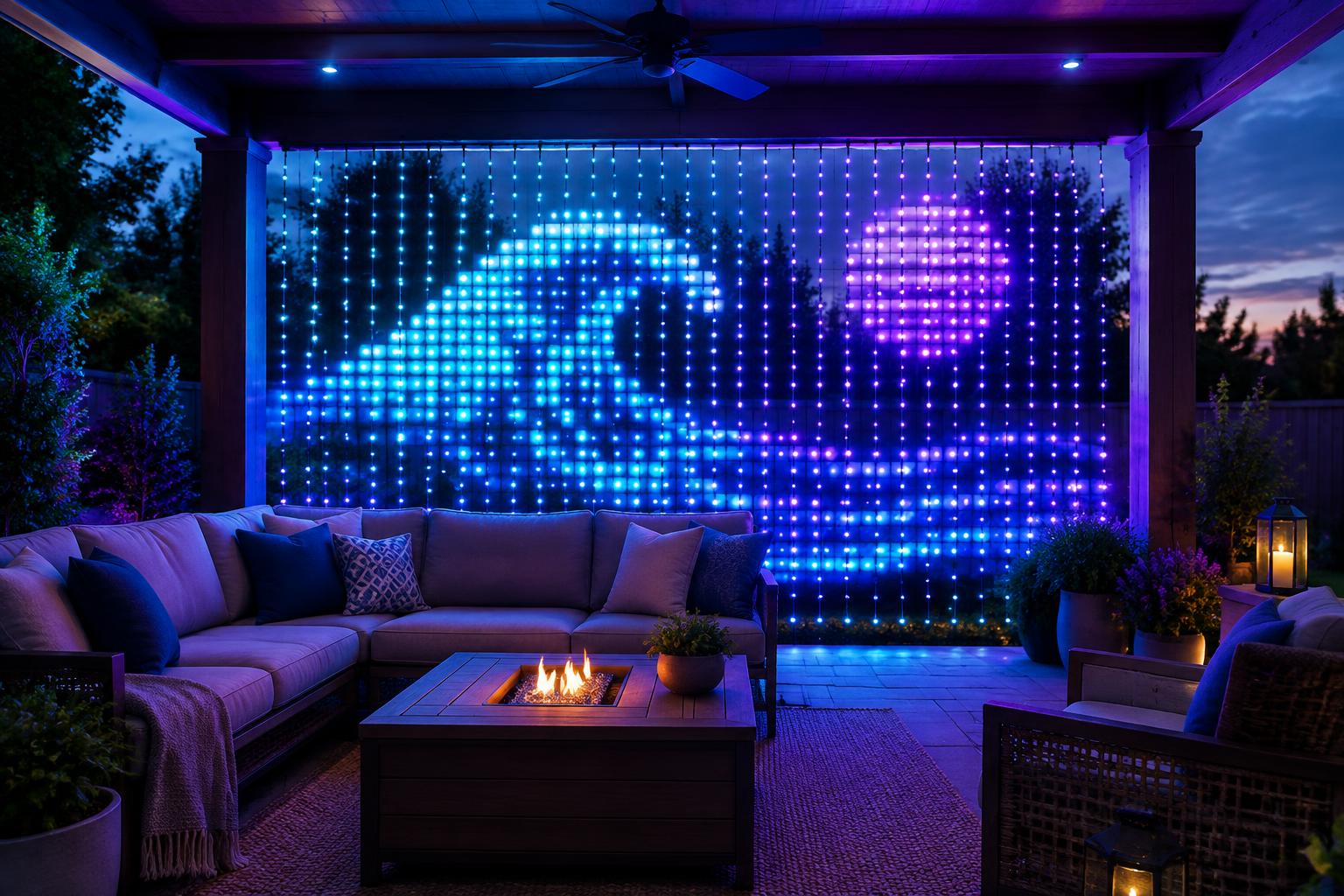
Curtain lights hang in vertical strands to create a broad display surface. Their arrangement suits flowing color, patterns, and, on supported models, graphics that need more height than a roofline provides.
Permanent outdoor lighting follows the building instead. Installers secure lights along soffits, fascia, and rooflines using suitable tracks or mounts, creating a year-round installation with app-driven scenes.
- Curtain lights: Best for a defined backdrop, window feature, or seasonal display viewed mostly from one direction.
- Permanent eave lights: Best for outlining your home or business and changing its appearance throughout the year.
- Using both: A curtain display can add a focal point while permanent lights provide a coordinated architectural outline.
These are different tools, not substitutes for each other. If you are planning a larger project, explore the lighting brands on LightPro Connect while keeping the display format and installation needs in mind.
Choose a Location That Helps the Display Read Clearly
Covered Patios and Sheltered Walls
A covered patio can give Govee Curtain Lights a useful backdrop and reduce direct exposure to weather. However, a roof overhead does not make the area dry: wind-driven rain, condensation, and splashes still matter.
Choose a surface with enough contrast for the colors to stand out. Meanwhile, keep the strands away from grills, heaters, ceiling fans, door swings, and places where children or pets might pull them.
Windows and Indoor-Facing Displays
A window display can bring seasonal color to the street while keeping suitable components indoors. Check the view from outside after dark, because glass reflections, screens, and interior lamps can soften patterns.
Do not trap cords in a closed window or door. In addition, leave blinds, window locks, and emergency escape routes fully usable.
Business Windows and Event Backdrops
For a storefront or gathering space, a curtain can frame a display without outlining the whole building. Place it where guests can see the full design without standing in a doorway or walkway.
Avoid reflective backgrounds that compete with the lights. For public-facing spaces, also confirm that your setup meets property rules and does not interfere with exits or required signs.
Measure Before You Mount Govee Curtain Lights
Measure the usable display area, not just the wall. Your plan needs room for the hanging strands, the top support, and a safe cable route to power.
- Record width and height. Compare both measurements with your exact model’s listed dimensions and mounting instructions.
- Check the bottom clearance. Keep strands off the ground and clear of furniture, plants, and foot traffic.
- Map the power route. Include the controller, adapter, supplied cable, and any permitted extension cord.
- Choose the viewing distance. Step back to see whether the whole display fits comfortably in view.
- Test the layout. Use removable marks to confirm the top line and clearances before drilling.
Do not cut, splice, or extend the light strands unless the manufacturer expressly permits it. Likewise, do not assume multiple sets can connect electrically or synchronize simply because they look alike.
If you are also considering architectural lighting, explore lighting ideas with the visualizer to help clarify your overall design direction. Measure the actual site separately before choosing hardware.
Mounting and Wind Management
Before installing Govee Curtain Lights, lay them out on a clean, dry surface and test them as directed. This makes a damaged strand or connection issue easier to spot before you climb a ladder.
Support the Top Without Straining the Wiring
Use the mounting points and fasteners specified for your model and mounting surface. Keep the top run level so the strands hang evenly and patterns do not look stretched.
Never drive staples, nails, or screws through wiring. Adhesive hooks also need the right surface, temperature, and load rating; damp or dusty siding can undermine their grip.
Limit Sway Without Pulling Strands Tight
Wind can twist strands together and make graphics hard to recognize. A sheltered location is the simplest fix; where the manual allows it, use gentle, nonabrasive restraints that leave slack rather than stretching the wiring.
Do not add weights or invent a tensioned frame without manufacturer approval. If gusts repeatedly tangle the display, take it down until conditions improve instead of tightening every strand.
For a separate permanent roofline project, review mounting tracks and channels from affiliated hardware partner Deliciosa Decor. Those products serve their intended permanent installations; do not assume they support curtain lights.
Power and Weather: Check Every Component
Before using Govee Curtain Lights outdoors, verify the allowed environment for the lights, controller, adapter, and connections separately. A weather rating for the light strands does not automatically cover every part of the system.
Use an appropriate GFCI-protected outdoor receptacle and a cover suitable for use while plugged in. If an extension cord is permitted, choose one rated for outdoor use and the electrical load, and follow the product’s limits.
- Keep connections out of puddles. Route cables away from low spots, sprinklers, and roof runoff.
- Use approved protection. Do not wrap adapters in plastic bags or seal them inside improvised containers that trap moisture or heat.
- Protect the cable route. Avoid pinched cords, sharp edges, and trip hazards.
- Stop for damage. Unplug equipment with cracked insulation, scorching, or loose connections.
Review the CPSC’s holiday lighting and outdoor electrical safety guidance before setting up a seasonal display. If you need a new receptacle or have repeated electrical trips, consult a qualified electrician.
Set Up App Scenes That Suit the Space
Once Govee Curtain Lights are mounted correctly, follow your model’s pairing steps in the Govee Home app. Confirm the required network connection and phone permissions rather than assuming every generation pairs the same way.
Start with a steady color or simple scene to check strand order and alignment. Then try supported animations, custom designs, or music features, adjusting brightness from the position where people will actually view them.
For dinner on the patio, a slow transition may feel calmer than rapid flashes. Meanwhile, a schedule can turn the display off before bedtime and reduce light spilling into neighboring windows.
Troubleshoot Govee Curtain Lights Step by Step
Patterns Look Distorted or Incomplete
First, check whether strands are crossed, reversed, or hanging at uneven heights. Follow any orientation or layout settings available for your model, then test a basic scene before judging a detailed graphic.
If one section remains dark, disconnect power before inspecting user-accessible connectors. Do not open sealed parts; contact support if the problem persists.
The App Cannot Find or Control the Lights
Check power first, then confirm the network requirements in your manual. If setup calls for Bluetooth, nearby-device permissions, or a particular Wi-Fi band, verify those settings and pair close to the controller.
Restart the app and follow the documented power-cycle procedure before attempting a reset. Use official Govee support for model-specific instructions, because an unnecessary factory reset may erase saved settings.
Lights Flicker or Shut Off
Try a simple steady scene to distinguish an animation from an actual fault. Next, unplug the system and inspect for damaged cables, loose connections, or moisture.
Do not keep resetting a tripping GFCI or breaker. Leave the display disconnected until the cause is identified safely.
Maintain the Display and Decide What Fits
Inspect Govee Curtain Lights periodically, especially after windy weather. With power disconnected, clean only as the manual directs, check mounts for movement, and let everything dry before storage.
For storage, loosely gather strands without sharp bends and label their orientation. A few minutes of care now can make next season’s setup much easier.
Choose curtain lights when your goal is a colorful backdrop in a defined area. Choose professionally installed permanent outdoor lighting when you want a tidy roofline outline ready for year-round, app-driven scenes.
Ready to Plan Your Permanent Lighting?
If your plans extend beyond a curtain display, LightPro Connect is a nationwide, manufacturer-neutral marketplace connecting homeowners and businesses with professional permanent outdoor lighting installers. Request quotes for your permanent lighting project and discuss your layout, mounting needs, and goals with an installer.